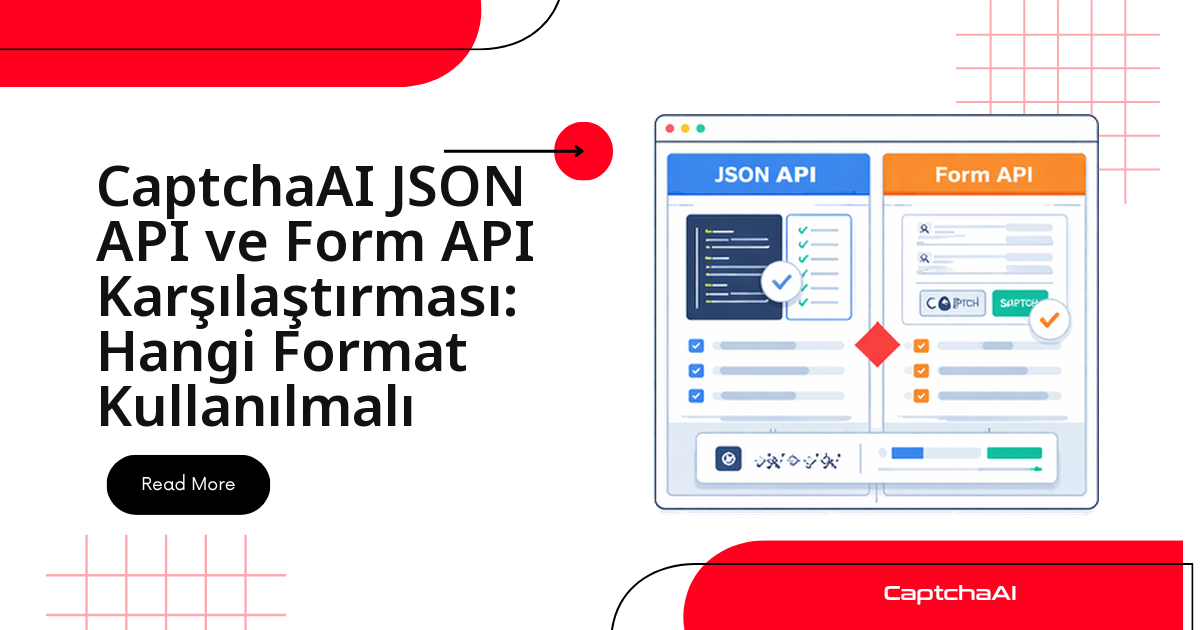
Kısa yanıt: CaptchaAI'ye isteğinizi ister form-encoded ister JSON gönderin, sonuç değişmez. API her iki gövdeyi de aynı motorla işler ve size aynı task_id'yi, ardından aynı token'ı döndürür. O yüzden asıl soru "hangisi daha iyi" değil, "projenizin geri kalanı hangi formatı zaten konuşuyor" sorusudur.
Tek istisna resim (image) CAPTCHA gönderimidir: orada dosyayı nasıl taşıdığınız — multipart yükleme mi, base64 gövde mi — pratik bir fark yaratır. Aşağıda önce hızlı kararı, sonra iki formatın yan yana halini ve her dilde çalışan kodu bulacaksınız.
Hızlı Karar: Hangi Senaryoda Hangi Format
İki formatın işlevi aynı olduğu için seçimi teknik bir üstünlük değil, mevcut yığınınız belirler. Aşağıdaki tablo yaygın durumlar için pratik öneriyi özetler:
| Senaryo | Önerilen | Neden |
|---|---|---|
| Basit script'ler | form-encoded | Daha az bağımlılık, daha az kod |
| REST API entegrasyonu | JSON | Tipik API kalıplarıyla eşleşir |
| Dosya yüklemeleri | Multipart form | Doğrudan ikili (binary) yükleme |
| Büyük base64 görseller | form-encoded | Büyük yükleri daha sağlam taşır |
| TypeScript / modern JS | JSON | Yerel nesne desteği |
| Eski (legacy) sistem entegrasyonu | form-encoded | Evrensel uyumluluk |
| 2Captcha'dan geçiş | form-encoded | 2Captcha ile birebir aynı format |
Kural olarak: kod tabanınız zaten JSON konuşuyorsa JSON gönderin, aksi hâlde form-encoded en az sürtünmeli varsayılandır.
İki Formatı Yan Yana Görün
Aynı reCAPTCHA v2 görevini iki farklı gövdeyle göndermek şöyle görünür. Fark yalnızca gövde biçimi ve Content-Type başlığıdır.
form-encoded (varsayılan)
import requests

resp = requests.post("https://ocr.captchaai.com/in.php", data={
    "key": "YOUR_API_KEY",
    "method": "userrecaptcha",
    "googlekey": "SITE_KEY",
    "pageurl": "https://example.com",
    "json": 1,
})
Content-Type: application/x-www-form-urlencoded
JSON
import requests

resp = requests.post("https://ocr.captchaai.com/in.php", json={
    "key": "YOUR_API_KEY",
    "method": "userrecaptcha",
    "googlekey": "SITE_KEY",
    "pageurl": "https://example.com",
    "json": 1,
})
Content-Type: application/json
Python'da tek değişen anahtar kelime data= yerine json= olması; kütüphane doğru Content-Type başlığını sizin için ekler.
Temel Farklar: form-encoded ile JSON
İki format arasındaki gerçek ayrımlar biçim ve okunabilirlik düzeyindedir, sonuç düzeyinde değil:
| Faktör | form-encoded | JSON |
|---|---|---|
| Content-Type | application/x-www-form-urlencoded |
application/json |
| Veri yapısı | Düz anahtar/değer çiftleri | İç içe nesneler mümkün |
| İkili veri | Dosya yükleme için multipart kullanın | Gövde alanında base64 kodlama |
| Dizi desteği | Sınırlı | Yerel |
| Python parametresi | data={} |
json={} |
| Node.js | URLSearchParams |
JSON.stringify() |
| Okunabilirlik | Düz parametrelerde basit | Karmaşık veride daha iyi |
| Uyumluluk | Her yerde çalışır | Her yerde çalışır |
Bu API'nin parametreleri düz olduğu için (key, method, googlekey, pageurl) çoğu iş yükünde iki format da eşit derecede rahattır. JSON'ın avantajı ancak iç içe veri veya diziler gönderdiğinizde belirginleşir.
Yanıtı JSON Olarak Alma (json=1)
İstek formatından bağımsız olarak, yanıtı ayrıştırması kolay JSON biçiminde almak için gövdeye json=1 ekleyin:
# Without json=1 — plain text response
resp = requests.post("https://ocr.captchaai.com/in.php", data={
    "key": "YOUR_API_KEY",
    "method": "userrecaptcha",
    "googlekey": "SITE_KEY",
    "pageurl": "https://example.com",
})
# Response: "OK|12345678"

# With json=1 — JSON response
resp = requests.post("https://ocr.captchaai.com/in.php", data={
    "key": "YOUR_API_KEY",
    "method": "userrecaptcha",
    "googlekey": "SITE_KEY",
    "pageurl": "https://example.com",
    "json": 1,
})
# Response: {"status": 1, "request": "12345678"}
json=1 olmadan API OK|12345678 gibi bir düz metin döndürür ve bunu elle bölmeniz gerekir. Daha temiz kod için her istekte json=1 kullanın.
Python ile Görev Gönderme ve Sorgulama
Akış her iki formatta aynıdır: in.php'ye POST ile görevi gönderir, dönen task_id ile res.php'yi sorgularsınız. Dikkat edilecek nokta, sorgulamanın (polling) her zaman GET ve sorgu parametreleriyle yapılmasıdır — gövde formatı burada rol oynamaz.
form-encoded gövde
import requests

# Submit
resp = requests.post("https://ocr.captchaai.com/in.php", data={
    "key": "YOUR_API_KEY",
    "method": "userrecaptcha",
    "googlekey": "SITE_KEY",
    "pageurl": "https://example.com",
    "json": 1,
})
task_id = resp.json()["request"]

# Poll (always GET with query params)
resp = requests.get("https://ocr.captchaai.com/res.php", params={
    "key": "YOUR_API_KEY",
    "action": "get",
    "id": task_id,
    "json": 1,
})
JSON gövde
import requests

# Submit with JSON
resp = requests.post("https://ocr.captchaai.com/in.php", json={
    "key": "YOUR_API_KEY",
    "method": "userrecaptcha",
    "googlekey": "SITE_KEY",
    "pageurl": "https://example.com",
    "json": 1,
})
task_id = resp.json()["request"]

# Poll (same as form-encoded — GET with params)
resp = requests.get("https://ocr.captchaai.com/res.php", params={
    "key": "YOUR_API_KEY",
    "action": "get",
    "id": task_id,
    "json": 1,
})
İki örnekte de sorgulama satırı birebir aynıdır. Yani gönderim formatını değiştirseniz bile sorgulama kodunuzu yeniden yazmanız gerekmez.
Node.js ile Aynı Akış
Node.js tarafında da mantık değişmez; yalnızca gövdeyi hazırlama biçimi farklıdır. form-encoded için querystring ile serileştirir, JSON için nesneyi doğrudan axios'a verirsiniz.
form-encoded gövde
const axios = require('axios');
const qs = require('querystring');

// Submit
const resp = await axios.post(
  'https://ocr.captchaai.com/in.php',
  qs.stringify({
    key: 'YOUR_API_KEY',
    method: 'userrecaptcha',
    googlekey: 'SITE_KEY',
    pageurl: 'https://example.com',
    json: 1,
  })
);
const taskId = resp.data.request;
JSON gövde
const axios = require('axios');

// Submit with JSON
const resp = await axios.post(
  'https://ocr.captchaai.com/in.php',
  {
    key: 'YOUR_API_KEY',
    method: 'userrecaptcha',
    googlekey: 'SITE_KEY',
    pageurl: 'https://example.com',
    json: 1,
  }
);
const taskId = resp.data.request;
TypeScript veya modern bir JS projesindeyseniz JSON gövde genellikle daha doğal durur; nesneleri elle serileştirmeden axios'a verirsiniz.
Resim CAPTCHA'larında Format Neden Önemli
Format seçiminin gerçekten fark yarattığı tek yer resim (image) CAPTCHA gönderimidir. Burada üç yol vardır: dosyayı doğrudan multipart yüklemek, base64 dizesini JSON gövdesine koymak veya base64 dizesini form alanına koymak.
Dosya yüklemeli form (multipart)
# File upload — form-encoded with multipart
resp = requests.post("https://ocr.captchaai.com/in.php",
    data={
        "key": "YOUR_API_KEY",
        "method": "post",
        "json": 1,
    },
    files={
        "file": open("captcha.png", "rb"),
    },
)
JSON içinde base64
import base64

# Base64 in JSON body
with open("captcha.png", "rb") as f:
    body = base64.b64encode(f.read()).decode()

resp = requests.post("https://ocr.captchaai.com/in.php", json={
    "key": "YOUR_API_KEY",
    "method": "base64",
    "body": body,
    "json": 1,
})
form içinde base64
# Base64 in form data
resp = requests.post("https://ocr.captchaai.com/in.php", data={
    "key": "YOUR_API_KEY",
    "method": "base64",
    "body": body,
    "json": 1,
})
Pratik kural: elinizde dosya varsa multipart yükleme en temizidir. Görseli zaten base64 dizesi olarak tutuyorsanız, çok büyük yüklerde form-encoded gövde genelde daha sağlam taşır.
Türkiye'den Bir Senaryo
Diyelim ki İstanbul'da bir e-ticaret ekibindesiniz ve ödeme adımındaki (checkout) reCAPTCHA'yı otomatik QA testlerinizde çözmeniz gerekiyor. Node.js tabanlı test paketiniz zaten her yere JSON gönderiyorsa, CAPTCHA isteğini de JSON gövdesiyle göndermek kod tabanınızla tutarlı kalır ve tek bir istek istemcisi kullanırsınız.
Ama aynı ekip 2Captcha'dan CaptchaAI'ye geçiş yapıyorsa hikâye değişir: mevcut form-encoded çağrılarınız hiçbir değişiklik olmadan çalışacağı için önce onları olduğu gibi bırakmak en az sürtünmeli yoldur; JSON'a projeyi yeniden yazmak zorunda kalmadan sonradan geçebilirsiniz. İki yolda da çözüm oranı aynıdır — seçim tamamen mevcut yığınınıza bağlıdır. USD bazlı, thread tabanlı planlar sayesinde format seçiminiz ne olursa olsun aylık maliyetiniz öngörülebilir kalır.
Sık Yapılan Hatalar
| Hata | Sorun | Çözüm |
|---|---|---|
json={} kullanıp veride json: 1 koymamak |
Yanıt düz metin döner | Gövdeye "json": 1 ekleyin |
Python'da data= ile json='yi karıştırmak |
İstek bozuk oluşur | Yalnızca birini kullanın |
| Content-Type başlığını elle set edip gövdeyle uyumsuz bırakmak | Sunucu gövdeyi ayrıştıramaz | HTTP kütüphanenizin başlığı otomatik ayarlamasına izin verin |
| Sorgulama uç noktasına JSON gövdesi göndermek | Sorgulama GET parametreleri kullanır | /res.php için her zaman GET + sorgu parametresi kullanın |
Sık Sorulan Sorular
Format çözüm hızını veya doğruluğunu değiştirir mi?
Hayır. Sunucu her iki gövdeyi de aynı şekilde işler; çözüm süresi ve başarı oranı formattan bağımsızdır. Seçiminizi yalnızca kod tarafındaki rahatlığa göre yapın.
Yanıtı düz metin yerine JSON olarak almak için ne gerekiyor?
İstek gövdesine json=1 ekleyin. Bu olmadan API OK|12345678 gibi düz metin döner; json=1 ile {"status": 1, "request": "12345678"} biçiminde ayrıştırması kolay bir yanıt alırsınız.
Büyük base64 görseller için hangi format daha iyi?
Çok büyük base64 yükleri form-encoded gövdeyle daha sağlam taşınır. Dosyayı doğrudan yüklüyorsanız multipart form; base64 dizesini gövdeye koyuyorsanız hem JSON hem form-encoded çalışır.
2Captcha'dan geçerken hangi formatı kullanmalıyım?
form-encoded'da kalın. Orijinal 2Captcha API'si form-encoded kullanır ve CaptchaAI bununla uyumludur; mevcut çağrılarınızı değiştirmeden çalıştırabilir, JSON'a sonradan geçebilirsiniz.
Content-Type başlığını elle ayarlamam gerekir mi?
Genellikle hayır. requests veya axios gibi kütüphaneler data= / json= seçiminize göre doğru Content-Type'ı otomatik ekler. Başlığı elle set edip gövdeyle uyumsuz bırakmak en sık görülen hatadır.
İlgili Kılavuzlar
Yığınınıza uyan formatı seçin — CaptchaAI API'yi bugün deneyin.