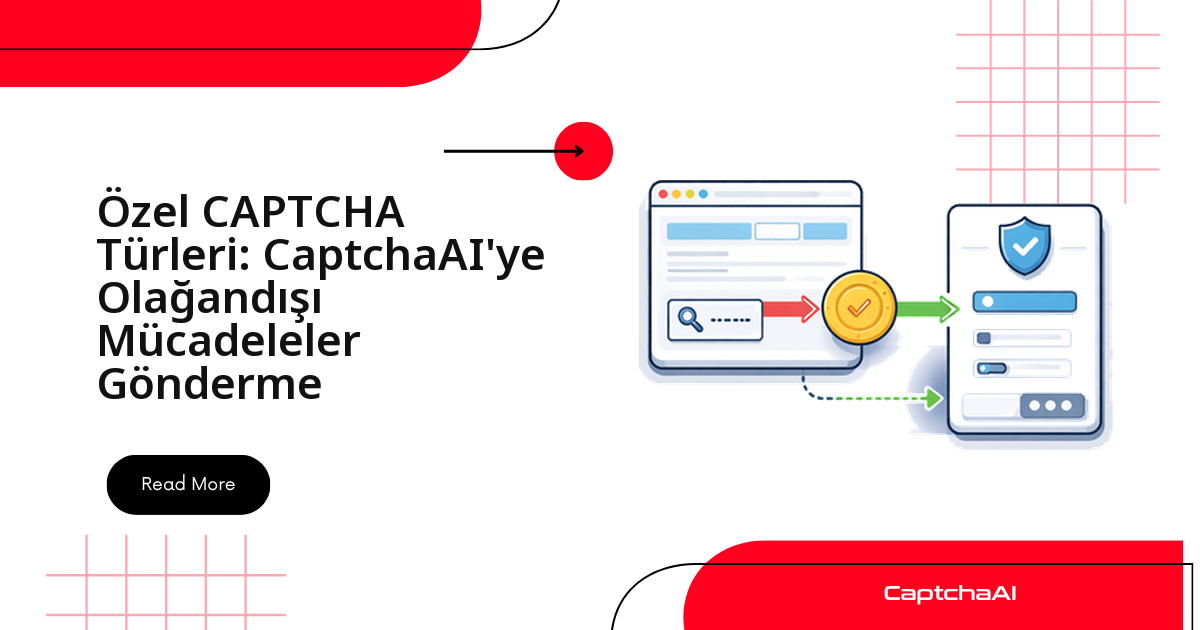
Her CAPTCHA'nın adı bilinen, hazır bir çözücüsü yoktur. Bir kaydırıcıyı doğru noktaya sürüklemenizi, bir görseli düzgün yöne döndürmenizi ya da tamamen siteye özgü bir JavaScript widget'ını tamamlamanızı isteyen doğrulamalarla karşılaştığınızda tek bir yöntem neredeyse her seferinde iş görür: ekranın görüntüsünü alın, base64'e çevirin ve ne yapılması gerektiğini düz metin talimatı olarak CaptchaAI'nin OCR uç noktasına gönderin. Aşağıda bu deseni bir kez kuruyor, ardından kaydırıcı, döndürme, sıralı seçim, ses ve özel widget türlerine tek tek uyguluyoruz.
İstanbul'daki bir e-ticaret ekibinin kendi ödeme akışını test ederken karşılaştığı türden — reCAPTCHA'ya da Turnstile'a benzemeyen — siteye özel bir doğrulama, bu yaklaşımın tipik hedefidir. Doğrulamanın adını bilmeniz gerekmez; ekranda ne gördüğünüzü bir cümleyle tarif edebilmeniz yeterlidir. Yöntem özetle şu dört adımdan oluşur:
- Doğrulama bileşeninin ekran görüntüsünü alın ve base64'e çevirin.
- Ne yapılması gerektiğini tek cümlelik düz metin talimatı olarak yazın.
- Görseli ve talimatı birlikte
in.phpuç noktasına gönderin. res.phpüzerinden sonucu sorgulayın ve dönen değeri ilgili arayüz öğesine uygulayın.
Özel CAPTCHA türlerini tanıma
Elinizdeki doğrulamanın hangi kategoriye girdiğini bilmek, doğru talimatı yazmanın ilk adımıdır. En sık karşılaşılan özel türler ve her biri için izlenecek yaklaşım:
| Tür | Nasıl çalışır | Yaklaşım |
|---|---|---|
| Kaydırıcı (slider) | Parçayı doğru konuma sürükleme | Ekran görüntüsü + metin talimatı |
| Yapboz (puzzle) | Eksik parçayı yuvasına oturtma | GeeTest tarzı çözümle örtüşebilir |
| Ses (audio) | Sesi dinleyip yazma | Ses dosyasını gönderme |
| Görsel döndürme | Görseli doğru yöne çevirme | Ekran görüntüsü + talimat |
| Sıralı seçim | Öğeleri belirli sırayla tıklama | Görsel ızgara yaklaşımı |
| Matematik | Aritmetik işlemi çözme | calc=1 parametresi |
| Siteye özel widget | Siteye özgü JS bileşeni | Ekran görüntüsü + metin talimatı |
Tüm görsel CAPTCHA'lar için ortak yöntem
Kurmanız gereken tek çekirdek fonksiyon budur. Sonraki tüm türler bu fonksiyonu çağırır — yani entegrasyonu bir kez kurar, her yerde kullanırsınız. Fonksiyon üç işi sırayla yapar:
- Görselin base64 halini ve talimatı
in.phpuç noktasına gönderir. - Dönen görev kimliğini (
task_id) alır. - Çözüm hazır olana kadar
res.phpuç noktasını sorgular.
import requests
import base64
import time
import os

API_KEY = os.environ["CAPTCHAAI_API_KEY"]


def solve_custom_captcha(image_b64, instructions):
    """Solve any visual CAPTCHA using image + text instructions."""
    resp = requests.post("https://ocr.captchaai.com/in.php", data={
        "key": API_KEY,
        "method": "base64",
        "body": image_b64,
        "textinstructions": instructions,
        "json": 1,
    }, timeout=30)

    result = resp.json()
    if result.get("status") != 1:
        raise RuntimeError(result.get("request"))

    task_id = result["request"]

    time.sleep(10)
    for _ in range(30):
        resp = requests.get("https://ocr.captchaai.com/res.php", params={
            "key": API_KEY, "action": "get",
            "id": task_id, "json": 1,
        }, timeout=15)
        data = resp.json()
        if data.get("status") == 1:
            return data["request"]
        if data["request"] != "CAPCHA_NOT_READY":
            raise RuntimeError(data["request"])
        time.sleep(5)

    raise TimeoutError("Solve timeout")
CAPCHA_NOT_READYyanıtı bir hata değildir; işlemin hâlâ sürdüğü anlamına gelir. Döngü bu yanıtı gördüğünde beklemeyi sürdürür ve yalnızca gerçek bir hata kodunda ya da zaman aşımında durur.
Kaydırıcı (slider) konumu CAPTCHA'ları
Kaydırıcı doğrulamalarında amaç, tutamacı hedef piksel konumuna taşımaktır. Widget'ın ekran görüntüsünü çözücüye gönderip yalnızca X ofset değerini isteyin; dönen sayıyı Selenium'un ActionChains yapısıyla sürükleme hareketine çevirin.
# slider_captcha.py
from selenium.webdriver.common.by import By
from selenium.webdriver.common.action_chains import ActionChains


def solve_slider_captcha(driver, captcha_selector):
    """Screenshot slider CAPTCHA and solve via CaptchaAI."""
    captcha = driver.find_element(By.CSS_SELECTOR, captcha_selector)
    image_b64 = captcha.screenshot_as_base64

    result = solve_custom_captcha(
        image_b64,
        "What pixel position should the slider be dragged to? "
        "Return only the X offset number."
    )

    try:
        offset = int(result)
    except ValueError:
        return False

    # Drag slider to position
    slider = driver.find_element(By.CSS_SELECTOR, ".slider-handle")
    ActionChains(driver).click_and_hold(slider).move_by_offset(offset, 0).release().perform()

    return True
- Çözücü yalnızca X ofset sayısını döndürür; sürükleme hareketini Selenium tarafında siz gerçekleştirirsiniz.
- Sürükleme sonrası doğrulama başarısız olursa ofseti birkaç piksel ayarlayıp yeniden deneyin.
Döndürme (rotation) CAPTCHA'ları
Bu türde görsel yanlış açıyla gösterilir ve düz konuma getirilmesi beklenir. Çözücüden görselin saat yönünde kaç derece döndürüleceğini isteyin; sonucu 90'a bölüp döndürme düğmesine o kadar kez tıklayın.
# rotation_captcha.py


def solve_rotation_captcha(driver, captcha_selector):
    """Solve rotation CAPTCHA."""
    captcha = driver.find_element(By.CSS_SELECTOR, captcha_selector)
    image_b64 = captcha.screenshot_as_base64

    result = solve_custom_captcha(
        image_b64,
        "How many degrees should this image be rotated clockwise "
        "to be in the correct upright orientation? Return only the number."
    )

    try:
        degrees = int(result)
    except ValueError:
        return False

    # Click rotation button the correct number of times
    rotate_btn = driver.find_element(By.CSS_SELECTOR, ".rotate-button")
    clicks = degrees // 90  # Each click rotates 90 degrees

    for _ in range(clicks):
        rotate_btn.click()
        time.sleep(0.3)

    return True
Sıralı seçim CAPTCHA'ları
Bazı doğrulamalar öğelere belirli bir sırayla tıklamanızı ister. Dönen listeyi ayrıştırıp öğelere sırayla tıklarsınız; talimatı net tutmak için çözücüden şu kurallara uygun bir yanıt isteyin:
- Konumları soldan sağa ve yukarıdan aşağıya numaralayın.
- Numaralandırmayı 1'den başlatın.
- Değerleri virgülle ayırın.
# order_captcha.py


def solve_order_captcha(driver, captcha_selector, item_selector):
    """Solve click-in-order CAPTCHA."""
    captcha = driver.find_element(By.CSS_SELECTOR, captcha_selector)
    image_b64 = captcha.screenshot_as_base64

    result = solve_custom_captcha(
        image_b64,
        "What is the correct order? Return as comma-separated "
        "numbers (1-indexed) representing positions left-to-right, top-to-bottom."
    )

    # Parse order
    try:
        order = [int(x.strip()) for x in result.split(",")]
    except ValueError:
        return False

    # Click items in order
    items = driver.find_elements(By.CSS_SELECTOR, item_selector)
    for idx in order:
        if 1 <= idx <= len(items):
            items[idx - 1].click()
            time.sleep(0.5)

    return True
Ses (audio) CAPTCHA'ları
Görsel doğrulamanın yanında ses alternatifi sunan siteler için ses dosyasını indirip base64'e çevirin ve konuşulan karakterleri yazıya dökmesi için talimatla gönderin. Ses desteği base64 yöntemiyle denenebilir; sonuç görsele göre daha değişken olabilir.
# audio_captcha.py
import requests


def solve_audio_captcha(audio_url):
    """Download and solve an audio CAPTCHA."""
    # Download audio
    resp = requests.get(audio_url, timeout=30)
    audio_b64 = base64.b64encode(resp.content).decode("ascii")

    # Submit as image with instructions
    # CaptchaAI may support audio via the base64 method
    result = solve_custom_captcha(
        audio_b64,
        "This is an audio CAPTCHA. Transcribe the spoken characters."
    )
    return result
Ses tarafında doğruluk, kaydın netliğine ve arka plan gürültüsüne bağlı olarak değişir; kritik akışlarda görsel alternatifi öncelemek daha güvenilir sonuç verir.
Tamamen özel widget'lar
Hiçbir kalıba uymayan, tamamen siteye özgü bir bileşenle karşılaştığınızda mantık aynı kalır. Aşağıdaki fonksiyon şu dört adımı tek akışta toplar:
- Bileşenin tamamının ekran görüntüsünü alın.
- Ekranda görünen talimat metnini yakalayın.
- Görsel ve talimatı çözücüye birlikte gönderin.
- Dönen yanıtı ilgili giriş alanına yazın.
# custom_widget.py
from selenium import webdriver
from selenium.webdriver.common.by import By


def handle_custom_widget(driver, widget_selector):
    """Handle an unknown custom CAPTCHA widget."""

    # Step 1: Screenshot the entire widget
    widget = driver.find_element(By.CSS_SELECTOR, widget_selector)
    image_b64 = widget.screenshot_as_base64

    # Step 2: Get any visible instructions
    try:
        instructions_el = widget.find_element(By.CSS_SELECTOR, ".instructions, .prompt, p")
        visible_instructions = instructions_el.text
    except Exception:
        visible_instructions = "Solve this CAPTCHA"

    # Step 3: Submit with descriptive instructions
    result = solve_custom_captcha(
        image_b64,
        f"CAPTCHA instructions: {visible_instructions}. "
        f"Return the answer text."
    )

    # Step 4: Try to submit result
    try:
        input_el = widget.find_element(By.CSS_SELECTOR, "input")
        input_el.clear()
        input_el.send_keys(result)
    except Exception:
        # No input — try clicking based on result
        driver.execute_script("""
            var input = document.querySelector('input[name*="captcha"]');
            if (input) input.value = arguments[0];
        """, result)

    return result
Giriş alanı bulunamazsa fonksiyon, name özniteliğinde captcha geçen alanı JavaScript ile bulup değeri yazan bir yedeğe düşer; bu, standart dışı işaretlemeye sahip widget'larda işe yarar.
Sayfadaki CAPTCHA türünü otomatik algılama
Aynı botu farklı sayfalarda çalıştırıyorsanız, hangi doğrulamanın karşınıza çıktığını sayfanın HTML'ine bakarak önden belirlemek işinizi kolaylaştırır. Aşağıdaki basit desen eşleştirici, tespit ettiği türleri döndürür; siz de akışı doğru çözücüye yönlendirirsiniz.
# detector.py
import re


def detect_captcha_type(page_html):
    """Detect which CAPTCHA type is on a page."""
    checks = {
        "recaptcha_v2": r'data-sitekey.*g-recaptcha',
        "recaptcha_v3": r'recaptcha/api\.js\?render=',
        "turnstile": r'cf-turnstile|challenges\.cloudflare\.com/turnstile',
        "geetest": r'gt\b.*challenge|geetest',
        "bls": r'method.*bls|bls-captcha',
        "image_text": r'captcha.*\.(png|jpg|gif|jpeg)',
        "slider": r'slider.*captcha|slide.*verify',
        "audio": r'audio.*captcha|captcha.*audio',
    }

    detected = []
    for captcha_type, pattern in checks.items():
        if re.search(pattern, page_html, re.IGNORECASE):
            detected.append(captcha_type)

    return detected if detected else ["unknown"]
Kendi sayfalarınız dışında veri toplarken kişisel veri işliyorsanız bunun KVKK kapsamına girdiğini unutmayın; bu tür otomasyonları yetkili QA ve veri toplama akışlarıyla sınırlı tutun.
Sorun giderme
En sık karşılaşılan durumlar ve pratik çözümleri:
| Sorun | Olası sebep | Çözüm |
|---|---|---|
ERROR_CAPTCHA_UNSOLVABLE |
Görsel bulanık ya da talimat belirsiz | Ekran görüntüsü kalitesini ve talimatın netliğini artırın |
| Yanıt biçimi yanlış | Çözücü değer yerine açıklama döndürdü | Talimatı daraltın: "Yalnızca sayıyı döndür" |
| Widget yakalanmıyor | Öğe görünür alanın dışında | Ekran görüntüsünden önce öğeye kaydırın |
| Etkileşim başarısız | Tıklama koordinatları hatalı | Çözümü gerçek arayüz öğeleriyle dikkatlice eşleyin |
SSS
Görsel + metin talimatı yöntemi hangi durumlarda en iyi sonucu verir?
Adı belirli bir çözücüye eşlenmeyen, görüntüsü net okunabilen ve talimatı tek cümlede tarif edilebilen doğrulamalarda en iyi sonucu verir. Bulanık görsellerde ya da yalnızca davranış analizine dayanan akışlarda doğruluk düşer.
Kaydırıcı ya da döndürme sonucunu tarayıcıya nasıl uygularım?
Çözücü size bir sayı veya metin döndürür; tarayıcı etkileşimini siz yaparsınız. Kaydırıcıda dönen X ofsetini ActionChains ile sürükleyin, döndürmede dereceyi 90'a bölüp düğmeye o kadar kez tıklayın.
Ses CAPTCHA'sı da aynı uç noktaya gönderilebilir mi?
Evet. Ses dosyasını base64'e çevirip aynı in.php uç noktasına "konuşulan karakterleri yaz" talimatıyla gönderebilirsiniz. Yalnızca ses temelli doğrulamalarda görsele göre daha değişken sonuç beklenebilir.
CaptchaAI görsel tarafında kaç CAPTCHA çeşidini destekliyor?
CaptchaAI görsel/OCR tarafında 27.500'den fazla CAPTCHA çeşidini destekler. Gerçekten yeni ve siteye özgü türler için ekran görüntüsü + metin talimatı yöntemi en geniş kapsamı sağlar.
İlgili kılavuzlar
Ücretsiz hesabınızı açın ve ilk özel CAPTCHA'nızı ekran görüntüsü + talimat yöntemiyle çözün — CaptchaAI ile başlayın.