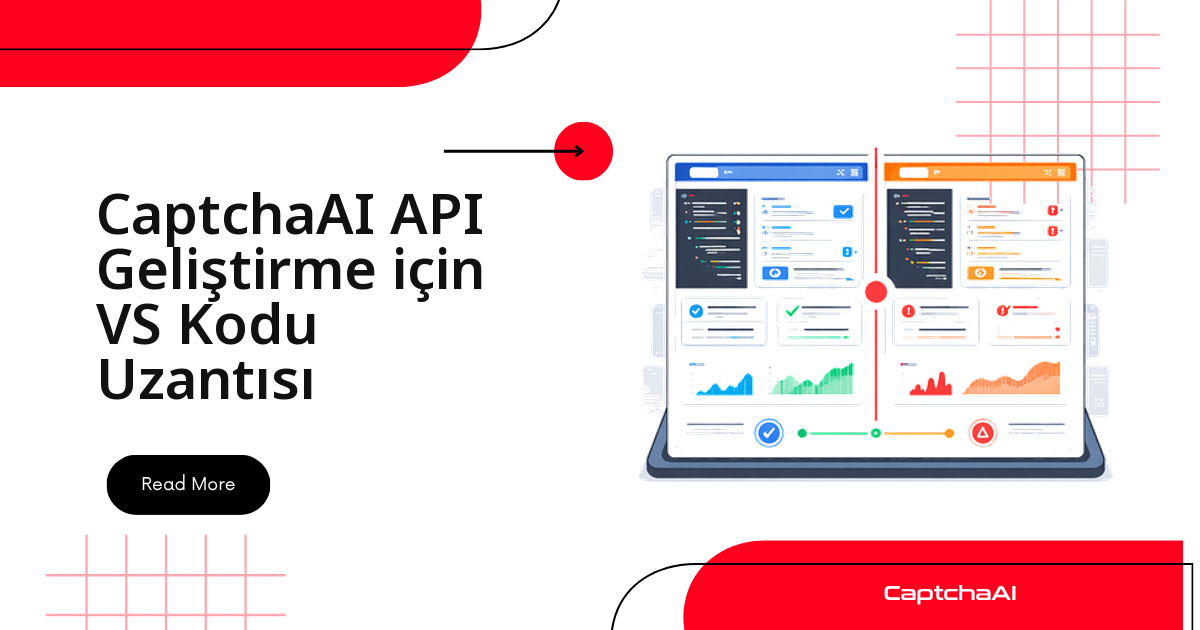
Bir CAPTCHA entegrasyonunu denemek için editörden çıkmanız gerekmiyor. Yaklaşık 200 satırlık bir VS Code eklentisiyle bakiyenizi durum çubuğunda görebilir, açık dosyadaki sitekey değerlerini tek komutla çıkarabilir ve bir reCAPTCHA v2 ya da Turnstile görevini doğrudan editörden gönderip dönen token'ı imlecin bulunduğu yere yapıştırabilirsiniz. Aşağıda bu eklentinin tam kaynağı var: manifest, uygulama dosyası ve iki dil için kod parçacıkları.
Bu, Marketplace'te hazır bekleyen bir ürün değil — kendi ekibiniz için derleyeceğiniz bir geliştirici aracı. Serbest otomasyon işi yapıp her müşteri projesinde aynı in.php / res.php akışını yeniden yazan biriyseniz kazanç ilk günden belli olur.
Eklenti ne yapıyor?
| Özellik | Ne işe yarar |
|---|---|
| Bakiye durum çubuğu | Mevcut CaptchaAI bakiyenizi tek bakışta gösterir |
| Çözme komutu | reCAPTCHA v2 veya Turnstile görevini VS Code'dan gönderir |
| Sitekey tespiti | Açık dosyadaki sitekey değerlerini bulur ve panoya kopyalar |
| Kod parçacıkları | reCAPTCHA, Turnstile ve GeeTest v3 çağrıları için hazır iskelet ekler |
| Hata araması | Hata kodunun üzerine gelince açıklamasını gösterir |
Desteklenen tip listesi burada kritik: parçacıklar yalnızca CaptchaAI'nin gerçekten çözdüğü tipleri kapsamalı — reCAPTCHA v2/v3 aileleri, Cloudflare Turnstile ve Cloudflare doğrulama akışı, GeeTest v3, görüntü/OCR, grid ve BLS. hCaptcha ile FunCaptcha (Arkose Labs) desteklenmiyor; GeeTest v4 için yalnızca "çok yakında" ifadesi geçerli. CaptchaFox (beta), Friendly Captcha (beta) ve Lemin (beta) ise beta etiketiyle kullanılabilir. Desteklenmeyen bir tip için parçacık koymayın; üretimde yalnızca hata kodu olarak geri döner.
Neden editörün içinde?
Türkiye'deki tipik okuyucu profili — e-ticaret ve fintech entegrasyonlarında çalışan, teslim tarihi baskısı altında müşteri otomasyonu yazan bir geliştirici — gün içinde şu döngüyü onlarca kez tekrarlar: sayfadan sitekey'i kopyala, terminale geç, istek at, sonucu bekle, token'ı koda taşı. Eklenti bu döngüyü tek bir komut paletine indirir.
İkinci kazanç bakiye görünürlüğü. CaptchaAI thread tabanlı faturalandırır: BASIC ($15/ay, 5 thread) planından VIP-3 ($7,500/ay, 5.000 thread) planına kadar her pakette thread başına sınırsız çözüm vardır, çözüm başına ücret yoktur. Kur dalgalanması karşısında aylık USD tutarının sabit kalması planlama açısından somut bir avantaj; durum çubuğundaki bakiye ise ay ortasında sürprizle karşılaşmamanızı sağlar.
Anahtarınız yoksa panelden bir API anahtarı oluşturup eklentinin ayarlarına yapıştırmanız yeterli; eklentinin geri kalanı bu tek değere bağlı.
Dosya düzeni
Eklenti tek bir kaynak dosyası ve iki parçacık dosyasından oluşur:
captchaai-vscode/
├── package.json
├── src/
│   └── extension.js
├── snippets/
│   ├── python.json
│   └── javascript.json
└── README.md
Manifest: package.json
Manifest üç şeyi tanımlar: hangi komutların komut paletinde görüneceği, eklentinin ne zaman etkinleşeceği (onStartupFinished) ve kullanıcının hangi ayarları değiştirebileceği. API anahtarı bir ayar girdisi olarak tanımlanır, koda gömülmez.
{
  "name": "captchaai-dev-tools",
  "displayName": "CaptchaAI Dev Tools",
  "description": "CaptchaAI API development tools for VS Code",
  "version": "1.0.0",
  "engines": { "vscode": "^1.80.0" },
  "categories": ["Snippets", "Other"],
  "activationEvents": ["onStartupFinished"],
  "main": "./src/extension.js",
  "contributes": {
    "commands": [
      {
        "command": "captchaai.checkBalance",
        "title": "CaptchaAI: Check Balance"
      },
      {
        "command": "captchaai.solveRecaptcha",
        "title": "CaptchaAI: Solve reCAPTCHA v2"
      },
      {
        "command": "captchaai.solveTurnstile",
        "title": "CaptchaAI: Solve Turnstile"
      },
      {
        "command": "captchaai.detectSitekey",
        "title": "CaptchaAI: Detect Sitekey in File"
      }
    ],
    "configuration": {
      "title": "CaptchaAI",
      "properties": {
        "captchaai.apiKey": {
          "type": "string",
          "default": "",
          "description": "Your CaptchaAI API key"
        },
        "captchaai.showBalance": {
          "type": "boolean",
          "default": true,
          "description": "Show balance in status bar"
        },
        "captchaai.pollInterval": {
          "type": "number",
          "default": 5,
          "description": "Poll interval in seconds"
        }
      }
    },
    "snippets": [
      {
        "language": "python",
        "path": "./snippets/python.json"
      },
      {
        "language": "javascript",
        "path": "./snippets/javascript.json"
      }
    ]
  }
}
Asgari manifest sözleşmesi
- Yalnızca ilk günden itibaren gerçekten kullandığınız etkinleştirme olayını ve komutları listeleyin; kullanılmayan katkı girdileri eklentiyi gereksiz yere ağırlaştırır.
- API anahtarını komut uygulama yolunun dışında tutun ki paketleme ile gizli dizi yönetimi ayrı kalsın.
pollIntervalgibi zamanlama değerlerini ayar olarak açın: farklı CAPTCHA tipleri farklı sürelerde döner, sabit kodlanmış 5 saniye her senaryoya uymaz.
Uygulama: extension.js
Tek dosyada üç bağımsız parça var — bakiye sorgusu, çözme akışı ve sitekey tespiti. Çözme akışı görevi in.php'ye POST eder, dönen görev kimliğini alır ve sonuç hazır olana kadar res.php'yi periyodik olarak sorgular. CAPCHA_NOT_READY yanıtı "beklemeye devam edin" demektir; hata değildir.
// src/extension.js
const vscode = require("vscode");

const API_BASE = "https://ocr.captchaai.com";

function getApiKey() {
  const config = vscode.workspace.getConfiguration("captchaai");
  const key = config.get("apiKey");
  if (!key) {
    vscode.window.showErrorMessage(
      "CaptchaAI: Set your API key in Settings → CaptchaAI"
    );
    return null;
  }
  return key;
}

// --- Balance Status Bar ---

let balanceStatusBar;
let balanceInterval;

async function updateBalance() {
  const key = getApiKey();
  if (!key) return;

  try {
    const url = new URL(`${API_BASE}/res.php`);
    url.searchParams.set("key", key);
    url.searchParams.set("action", "getbalance");
    url.searchParams.set("json", "1");

    const response = await fetch(url);
    const result = await response.json();

    if (result.status === 1) {
      const balance = parseFloat(result.request).toFixed(2);
      balanceStatusBar.text = `$(credit-card) CaptchaAI: $${balance}`;
      balanceStatusBar.tooltip = `CaptchaAI Balance: $${balance}`;
    } else {
      balanceStatusBar.text = "$(warning) CaptchaAI: Error";
    }
  } catch {
    balanceStatusBar.text = "$(warning) CaptchaAI: Offline";
  }
}

// --- Solve Command ---

async function solveCaptcha(method, extraFields) {
  const key = getApiKey();
  if (!key) return;

  const sitekey = await vscode.window.showInputBox({
    prompt: "Enter the CAPTCHA sitekey",
    placeHolder: "6LeIxAcTAAAAAJcZ...",
  });
  if (!sitekey) return;

  const pageurl = await vscode.window.showInputBox({
    prompt: "Enter the page URL",
    placeHolder: "https://example.com",
  });
  if (!pageurl) return;

  const params = {
    key,
    method,
    pageurl,
    json: 1,
    ...extraFields,
  };

  if (method === "userrecaptcha") {
    params.googlekey = sitekey;
  } else {
    params.sitekey = sitekey;
  }

  // Submit
  vscode.window.withProgress(
    {
      location: vscode.ProgressLocation.Notification,
      title: "CaptchaAI: Solving...",
      cancellable: true,
    },
    async (progress, cancellation) => {
      try {
        const submitResponse = await fetch(`${API_BASE}/in.php`, {
          method: "POST",
          body: new URLSearchParams(params),
        });
        const submitResult = await submitResponse.json();

        if (submitResult.status !== 1) {
          vscode.window.showErrorMessage(
            `CaptchaAI: ${submitResult.request || "Submit failed"}`
          );
          return;
        }

        const taskId = submitResult.request;
        progress.report({ message: `Task ${taskId} submitted` });

        // Poll
        const config = vscode.workspace.getConfiguration("captchaai");
        const interval = config.get("pollInterval") * 1000;

        for (let i = 0; i < 60; i++) {
          if (cancellation.isCancellationRequested) return;

          await new Promise((r) => setTimeout(r, interval));

          const pollUrl = new URL(`${API_BASE}/res.php`);
          pollUrl.searchParams.set("key", key);
          pollUrl.searchParams.set("action", "get");
          pollUrl.searchParams.set("id", taskId);
          pollUrl.searchParams.set("json", "1");

          const pollResponse = await fetch(pollUrl);
          const pollResult = await pollResponse.json();

          if (pollResult.request === "CAPCHA_NOT_READY") {
            progress.report({ message: `Waiting... (${(i + 1) * (interval / 1000)}s)` });
            continue;
          }

          if (pollResult.status === 1) {
            const token = pollResult.request;

            // Copy to clipboard
            await vscode.env.clipboard.writeText(token);
            vscode.window.showInformationMessage(
              `CaptchaAI: Solved! Token copied to clipboard (${token.length} chars)`
            );

            // Also insert at cursor if editor is active
            const editor = vscode.window.activeTextEditor;
            if (editor) {
              const action = await vscode.window.showQuickPick(
                ["Copy only", "Insert at cursor"],
                { placeHolder: "Token copied. Insert into editor?" }
              );
              if (action === "Insert at cursor") {
                editor.edit((editBuilder) => {
                  editBuilder.insert(editor.selection.active, token);
                });
              }
            }
            return;
          }

          vscode.window.showErrorMessage(
            `CaptchaAI: ${pollResult.request || "Solve failed"}`
          );
          return;
        }

        vscode.window.showErrorMessage("CaptchaAI: Solve timed out");
      } catch (err) {
        vscode.window.showErrorMessage(`CaptchaAI: ${err.message}`);
      }
    }
  );
}

// --- Sitekey Detection ---

async function detectSitekey() {
  const editor = vscode.window.activeTextEditor;
  if (!editor) {
    vscode.window.showWarningMessage("No active editor");
    return;
  }

  const text = editor.document.getText();
  const patterns = [
    { regex: /data-sitekey=["']([^"']+)["']/g, type: "HTML data-sitekey" },
    { regex: /googlekey['":\s]+["']([a-zA-Z0-9_-]{40})["']/g, type: "API googlekey" },
    { regex: /sitekey['":\s]+["']([a-zA-Z0-9_-]{20,})["']/g, type: "sitekey parameter" },
    { regex: /render=([a-zA-Z0-9_-]{40})/g, type: "reCAPTCHA render" },
  ];

  const found = [];
  for (const { regex, type } of patterns) {
    let match;
    while ((match = regex.exec(text)) !== null) {
      found.push({ key: match[1], type, position: match.index });
    }
  }

  if (found.length === 0) {
    vscode.window.showInformationMessage("No sitekeys found in current file");
    return;
  }

  const items = found.map((f) => ({
    label: f.key,
    description: f.type,
    detail: `Position: ${f.position}`,
    key: f.key,
  }));

  const selected = await vscode.window.showQuickPick(items, {
    placeHolder: `Found ${found.length} sitekey(s) — select to copy`,
  });

  if (selected) {
    await vscode.env.clipboard.writeText(selected.key);
    vscode.window.showInformationMessage(`Sitekey copied: ${selected.key}`);
  }
}

// --- Activation ---

function activate(context) {
  // Balance status bar
  const config = vscode.workspace.getConfiguration("captchaai");

  if (config.get("showBalance")) {
    balanceStatusBar = vscode.window.createStatusBarItem(
      vscode.StatusBarAlignment.Right,
      100
    );
    balanceStatusBar.command = "captchaai.checkBalance";
    balanceStatusBar.text = "$(credit-card) CaptchaAI";
    balanceStatusBar.show();

    updateBalance();
    balanceInterval = setInterval(updateBalance, 300000); // Every 5 minutes

    context.subscriptions.push(balanceStatusBar);
  }

  // Register commands
  context.subscriptions.push(
    vscode.commands.registerCommand("captchaai.checkBalance", async () => {
      await updateBalance();
      vscode.window.showInformationMessage(balanceStatusBar.tooltip);
    }),

    vscode.commands.registerCommand("captchaai.solveRecaptcha", () => {
      solveCaptcha("userrecaptcha", {});
    }),

    vscode.commands.registerCommand("captchaai.solveTurnstile", () => {
      solveCaptcha("turnstile", {});
    }),

    vscode.commands.registerCommand("captchaai.detectSitekey", detectSitekey)
  );
}

function deactivate() {
  if (balanceInterval) clearInterval(balanceInterval);
}

module.exports = { activate, deactivate };
İki noktaya dikkat edin: userrecaptcha metodunda parametre adı googlekey, diğer metotlarda sitekey. Ve token'ın pratik ömrü kısadır — panoya kopyalayıp yarım saat sonra kullanmayın, hedef site reddeder. Her iki metodun parametre listesi de API dokümantasyonundaki ilgili tiple birebir aynıdır; eklentide ekstra bir alan tanımlamanız gerekmez.
Kod parçacıkları
Parçacıklar eklentinin en çok kullanılan tarafıdır: cai- önekiyle yazmaya başlayınca gönderim ve sorgulama iskeleti hazır gelir.
Python parçacıkları
{
  "CaptchaAI reCAPTCHA v2": {
    "prefix": "cai-recaptcha-v2",
    "body": [
      "import requests",
      "",
      "# Submit reCAPTCHA v2 task",
      "response = requests.post(",
      "    \"https://ocr.captchaai.com/in.php\",",
      "    data={",
      "        \"key\": \"${1:YOUR_API_KEY}\",",
      "        \"method\": \"userrecaptcha\",",
      "        \"googlekey\": \"${2:SITE_KEY}\",",
      "        \"pageurl\": \"${3:https://example.com}\",",
      "        \"json\": 1,",
      "    },",
      ")",
      "task_id = response.json()[\"request\"]",
      "",
      "# Poll for result",
      "import time",
      "while True:",
      "    time.sleep(5)",
      "    result = requests.get(",
      "        \"https://ocr.captchaai.com/res.php\",",
      "        params={\"key\": \"${1}\", \"action\": \"get\", \"id\": task_id, \"json\": 1},",
      "    ).json()",
      "    if result[\"request\"] != \"CAPCHA_NOT_READY\":",
      "        token = result[\"request\"]",
      "        break"
    ],
    "description": "CaptchaAI reCAPTCHA v2 solve"
  },
  "CaptchaAI Turnstile": {
    "prefix": "cai-turnstile",
    "body": [
      "import requests",
      "",
      "response = requests.post(",
      "    \"https://ocr.captchaai.com/in.php\",",
      "    data={",
      "        \"key\": \"${1:YOUR_API_KEY}\",",
      "        \"method\": \"turnstile\",",
      "        \"sitekey\": \"${2:SITE_KEY}\",",
      "        \"pageurl\": \"${3:https://example.com}\",",
      "        \"json\": 1,",
      "    },",
      ")",
      "task_id = response.json()[\"request\"]"
    ],
    "description": "CaptchaAI Turnstile solve"
  },
  "CaptchaAI Balance Check": {
    "prefix": "cai-balance",
    "body": [
      "import requests",
      "",
      "balance = requests.get(",
      "    \"https://ocr.captchaai.com/res.php\",",
      "    params={\"key\": \"${1:YOUR_API_KEY}\", \"action\": \"getbalance\", \"json\": 1},",
      ").json()",
      "print(f\"Balance: \\${balance['request']}\")"
    ],
    "description": "CaptchaAI balance check"
  }
}
JavaScript parçacıkları
{
  "CaptchaAI reCAPTCHA v2": {
    "prefix": "cai-recaptcha-v2",
    "body": [
      "const response = await fetch('https://ocr.captchaai.com/in.php', {",
      "  method: 'POST',",
      "  body: new URLSearchParams({",
      "    key: '${1:YOUR_API_KEY}',",
      "    method: 'userrecaptcha',",
      "    googlekey: '${2:SITE_KEY}',",
      "    pageurl: '${3:https://example.com}',",
      "    json: 1,",
      "  }),",
      "});",
      "const { request: taskId } = await response.json();",
      "",
      "// Poll for result",
      "let token;",
      "while (true) {",
      "  await new Promise(r => setTimeout(r, 5000));",
      "  const url = new URL('https://ocr.captchaai.com/res.php');",
      "  url.searchParams.set('key', '${1}');",
      "  url.searchParams.set('action', 'get');",
      "  url.searchParams.set('id', taskId);",
      "  url.searchParams.set('json', '1');",
      "  const result = await (await fetch(url)).json();",
      "  if (result.request !== 'CAPCHA_NOT_READY') {",
      "    token = result.request;",
      "    break;",
      "  }",
      "}"
    ],
    "description": "CaptchaAI reCAPTCHA v2 solve"
  }
}
GeeTest v3 için üçüncü bir parçacık eklemek isterseniz method değerini geetest yapın ve tipin gerektirdiği ek alanları doldurun; iskeletin geri kalanı aynı gönderim/sorgulama düzenidir.
Yerel senaryo: KVKK'ya uygun bir QA akışı
Somut bir kullanım: bir e-ticaret müşterisi için ödeme adımını her sürüm öncesi test eden bir QA betiği yazıyorsunuz ve staging ortamındaki form Turnstile ile korunuyor. Eklentinin çözme komutuyla staging.example.com/qa-form için token alıp test verinize ekliyorsunuz — tr-TR locale, +90 biçiminde telefon, Europe/Istanbul zaman damgası. Test verisi gerçek müşteri kaydı içermediği sürece KVKK açısından da temiz kalırsınız; kişisel veri barındıran akışlarda test verisini anonimleştirmek ve yetkilendirme kaydını saklamak sizin sorumluluğunuzdadır. Eklentiyi yalnızca kendi sistemlerinizde ve izinli test akışlarında kullanın.
Sorun giderme
| Sorun | Sebep | Düzeltme |
|---|---|---|
| Bakiye "Offline" gösteriyor | VS Code API'ye ulaşamıyor | Ağı ve firewall kurallarını kontrol edin; ocr.captchaai.com erişilebilir olmalı |
| "API anahtarınızı ayarlayın" hatası | Anahtar yapılandırılmadı | Ayarlar → "CaptchaAI" araması → API anahtarını girin |
| Parçacıklar önerilerde çıkmıyor | Dosya dili modu yanlış | Dosyanın dil modunun parçacık diliyle (Python/JavaScript) eşleştiğini doğrulayın |
| Çözümde zaman aşımı | Görev başarısız oldu veya ağ yavaş | Ayarlardan sorgulama aralığını artırın; sitekey ve pageurl değerlerini doğrulayın |
| Sitekey tespiti hiçbir şey bulmuyor | Dosyada eşleşen desen yok | Dosyada data-sitekey, googlekey veya sitekey alanlarının bulunduğunu kontrol edin |
| Token hedef sitede reddediliyor | Token'ın süresi doldu | Token'ı aldıktan hemen sonra gönderin, panoda bekletmeyin |
İlk sürümde hata kodları için ayrı bir hover sağlayıcı yazmak yerine sabit bir sözlük tutmak yeterlidir; kodların anlamları API tarafında nadiren değişir.
Sık sorulan sorular
Eklentiyi Marketplace'e yüklemeden kullanabilir miyim?
Evet. vsce package ile bir .vsix üretip code --install-extension captchaai-dev-tools-1.0.0.vsix komutuyla yerel olarak kurun. Ekip içinde dağıtmak için .vsix dosyasını paylaşmanız yeterli; yayımlamak isterseniz VS Code eklenti yayımlama kılavuzunu izleyin.
API anahtarım ayarlar dosyasında düz metin olarak mı duruyor?
Varsayılan haliyle evet — VS Code ayarları diskte JSON olarak tutulur. Ortak kullanılan makinelerde anahtarı VS Code'un SecretStorage API'siyle işletim sistemi anahtarlığında saklayın. Hesap tarafında IP kısıtlaması tanımlamak ikinci bir katman ekler ve anahtar sızsa bile kullanımı sizin ağınıza sabitler.
Periyodik sorgulama yerine webhook kullanabilir miyim?
Editör içi bir araç için sorgulama daha pratiktir: VS Code'un dışarıdan erişilebilen bir uç noktası yoktur. Webhook, sunucu tarafındaki toplu iş akışlarında anlam kazanır; iki yaklaşımın karşılaştırmasını ayrı yazıda bulabilirsiniz.
Hangi plan bu iş akışına yeter?
Geliştirme ve tekil testler için BASIC ($15/ay, 5 thread) fazlasıyla yeterli, çünkü thread başına çözüm sayısı sınırsız. Paralel koşan bir CI hattınız varsa STANDARD ($30/ay, 15 thread) veya ADVANCE ($90/ay, 50 thread) tarafına bakın.
Eklenti hCaptcha çözebilir mi?
Hayır. CaptchaAI hCaptcha'yı ve FunCaptcha'yı (Arkose Labs) desteklemiyor; bu tipler için eklentiye komut veya parçacık eklemeyin. GeeTest v4 desteği ise çok yakında, henüz mevcut değil.
İlgili makaleler
- IP beyaz listesi ve API anahtarı güvenliği
- CaptchaAI ile CapMonster Cloud karşılaştırması
- Webhook mu, periyodik sorgulama mı?
Sonraki adım
Eklentiyi kendi makinenizde derleyin, API anahtarınızı alın ve ilk çözümü editörden gönderin.
İlgili rehberler: